
How To Stop Losing Your Best Ideas
A frictionless workflow to capture and organize your best thoughts before they slip away

You step out the door for some fresh air, and halfway through the walk, it hits you! The solution to that problem you have been mulling over all morning suddenly becomes clear. You will remember it when you get back to your desk.
By the time you get back from the walk and sit down, suddenly your mind goes blank. You rack your brain for that idea, but it’s not there…
The slippery idea problem
We’ve all had great ideas slip away because we thought we could remember them and didn’t write them down, or even if we did, we didn’t have a good way to store them. That happened to me way too many times. It didn’t matter if I was in the car, at my desk, or lying in bed. Ideas would pop into my head, but then I would lose track of them before I could get them down on paper or computer.
I call this the slippery idea problem. Sometimes it feels like our brain has butter fingers and can’t hold onto the ideas that pop into it. Like a hand covered in butter trying to hang onto a fork, the thoughts don’t stay put. David Allen said, "Your mind is for having ideas, not holding them."
A system to keep ideas from slipping away
It took me over a year of struggling with slippery ideas to finally come up with a solution that works. The answer wasn’t developing better memory techniques or doing mental exercises to make my brain stronger. Instead of trying to make my brain work harder, I needed to outsource the work to another system.
I needed a way to capture ideas when they came to my head and then a system to organize them when I had time to process.
Now, there are lots of tools you can use to do this, but the overarching idea is simple. Have a central knowledge management hub to store notes, ideas, and content. This hub, or ‘media vault’ as I call it, is like a backpack with infinite storage that can hold all your ideas. You can reach into it to use or organize ideas when you need them.
Once you have a central hub, you need a way to get your ideas to it with as little friction as possible. That means no opening a Word document or even typing out a note and then manually uploading it. Those steps create too much friction. They make it less likely that we will actually do it.
The system is seamless and works with minimal effort, which means I actually use it.
How to set up a slippery-proof knowledge management system
So what are the tools you need to start this system? The easiest, most cost-effective workflow is Readwise —> Notion.
You can have this up and running in 15 minutes, and it only costs you $10/month.
This video explains how to set Readwise up with Notion. When that connection is up and running, anything you highlight in Readwise will be sent to a Notion database. Now, if you have heard of Readwise, you may know that it really only works with highlights of articles or books. It is mostly for organizing notes from content that already exists, but we want a way to store and organize our own ideas. That’s where a little-known app and integration come in.
Voicenotes
Voicenotes is an app that records a voice memo and then can transcribe it and use AI to summarize.
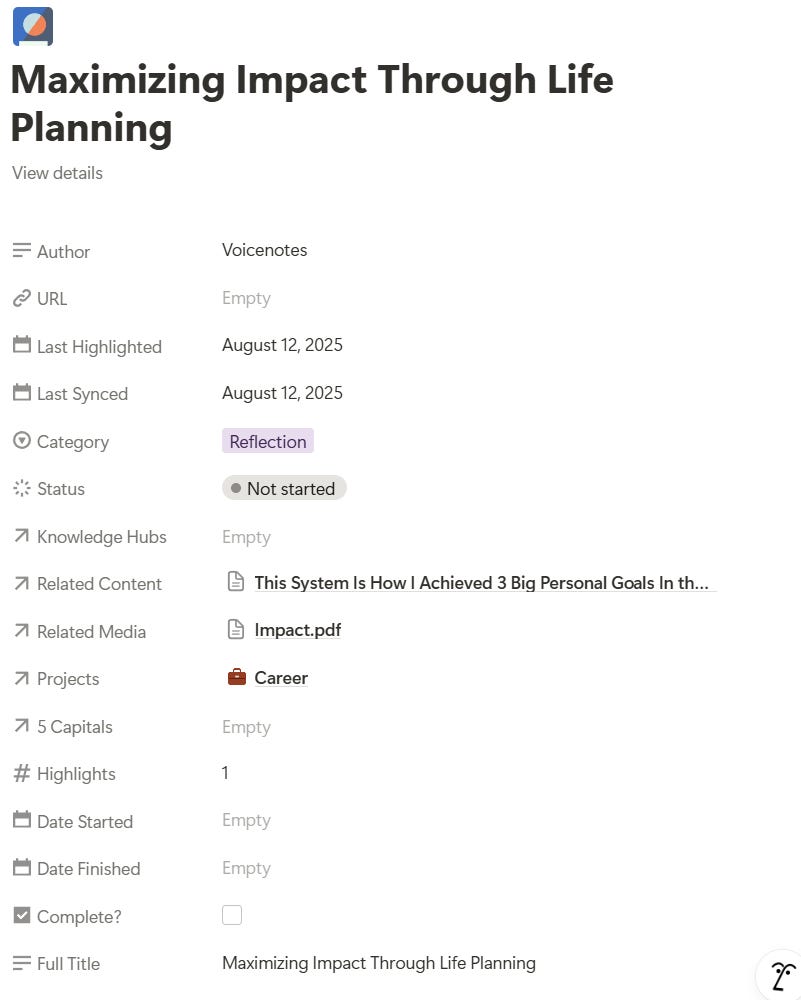
Voicenotes can integrate with Readwise so that any voicenote you record will be synced to Readwise, which will then be synced to Notion. Without the click of a button, the words I speak into the voice memo end up in my central media vault ready to be processed. So the workflow looks like this:
Voicenotes —> Readwise —> Notion
Why this system works
Why do we want our ideas to end up in Notion? Well, that is the best place to have a central knowledge management system because you can tag other items, store them within other projects, or schedule them for a later review. It is where you can get your ideas organized for action. So the whole workflow looks something like this:
Voicenotes —> Readwise —> Notion —> Organized for action
Now getting the idea to Notion is half the battle, but once it is there, it is only as useful as the idea itself. The real power comes when I connect it to other ideas or projects that I have in my life alignment hub.
The voice memo automatically pops up in my ‘processing’ section with an AI-generated title summarizing the note. Now, the work of connecting it to similar ideas begins. I can tag other similar ideas or the article that sparked the insight. Then, if it’s the key to a project, I can tag it to the project I am working on with one click.
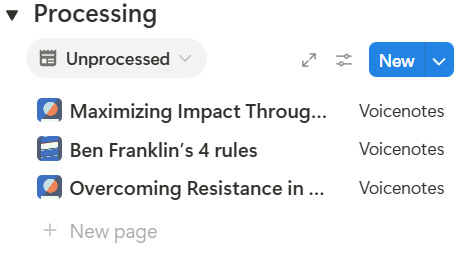
This whole system serves one purpose. To make sure I have the idea on hand when I need it. That’s exactly what it does
The process is so simple, I have done it while on a run or in the car. It opens new opportunities for reflection, and it means no time is off limits from capturing a quick insight and getting it in a format that I can easily organize.
If you’re looking to stop losing ideas and start putting them to action, then I am so glad you’re here. I can’t wait for you to join the journey of building systems to help you become organized for action!
Check out the free template of the system mentioned in this article.